
What can I edit on a Team page?
As a Team Captain, you can update:
- Your Team name
- Your Team page URL
- Your About my Challenge title and description
- Your dedication
- Your fundraising goal and target
- Your selected beneficiary (if applicable)
How to edit your Team page (Team Captains only)
- Log in to your account
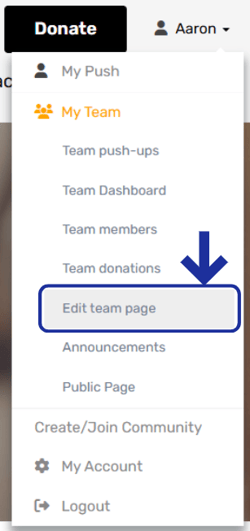
- Select My Team from the drop‑down menu under your name
- Click Edit team page
- Make your updates as needed
- Scroll to the bottom of the page and click Update details to save your changes
Your updates will appear on your Team’s public page straight away.
Important to know
If you change your Team name, your Team’s public page URL will also change.
Be sure to update any links you’ve shared so others can still find and join your Team easily.
Be sure to update any links you’ve shared so others can still find and join your Team easily.