
Find out how donors and participants can access their receipts below.
Donors
If you are not participating in the Challenge, but have supported one of our participants, you can get your donation receipt here:
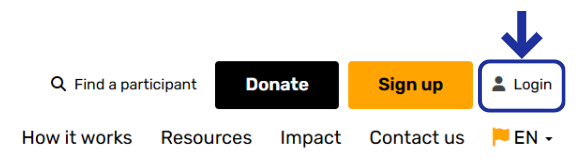
1. Head to our website and click on 'Login'.
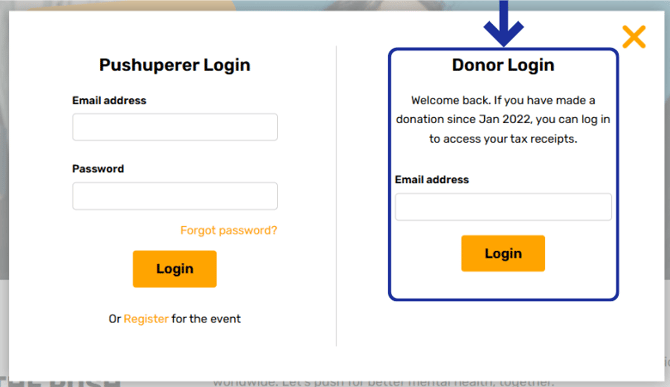
2. Enter the email address you used when you made your donation and click 'Login'. You'll be send a one-time unique code to your email address to verify our identity.
3. Once logged in, you'll see your donation history, where you can download individual donation receipts (click the pdf icon on the right of the donation) or a donation summary.
You can also update your details here by going to the 'My Account' tab.
Participants
If you've signed up and are taking part in the Challenge, you can access your receipts in your account:
1. Log in to your account.
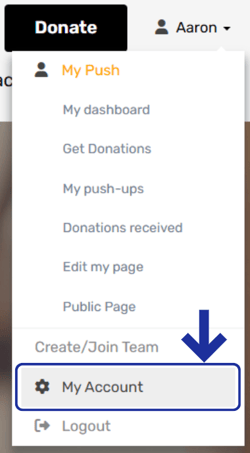
2. Go to 'My Account'.
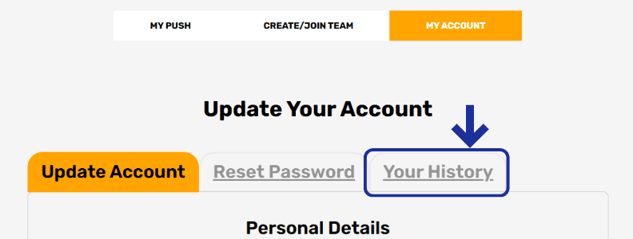
3. Scroll down and select 'Your History'.
4. This will take you to your Fundraising History and your Donations History. You can view and download your donations receipts by selecting the pdf icon to the right of the donation.