Got a big crew?
A Community is a collection of Teams brought together under one group - perfect for large workplaces, schools and sporting clubs. In a Community, you can track collective stats, as well as see Team and individual push-ups and fundraising progress.
We recommend a maximum Team size of 10 people, which is why Communities are a great way to connect bigger crews under one banner.
Great, how do I create a Community?
If you have already signed up:
If you’ve joined as a solo participant:
You’ll need to create a Team first.
You’ll need to create a Team first.
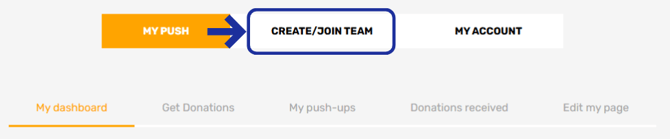
- Head to your dashboard
- Click Create/Join Team
- Once your Team is set up, you can then create a Community
If you’re already a Team Captain:
- Go to your dashboard
- Select Create/Join Community
- Follow the prompts to set up your Community

If you haven’t signed up yet
- Click Sign up
- Select Create Team/Community
- Follow the prompts to get everything set up in one go